
Koino Presentatie
Everything for the screen on Sunday morning.
Build a service from your own songs, Scripture and text — then present it live with an operator console, audience output and a stage view. Fully integrated in Koino, so the same permissions and church structure apply.

Koino Presenter
A dedicated desktop app for the service.
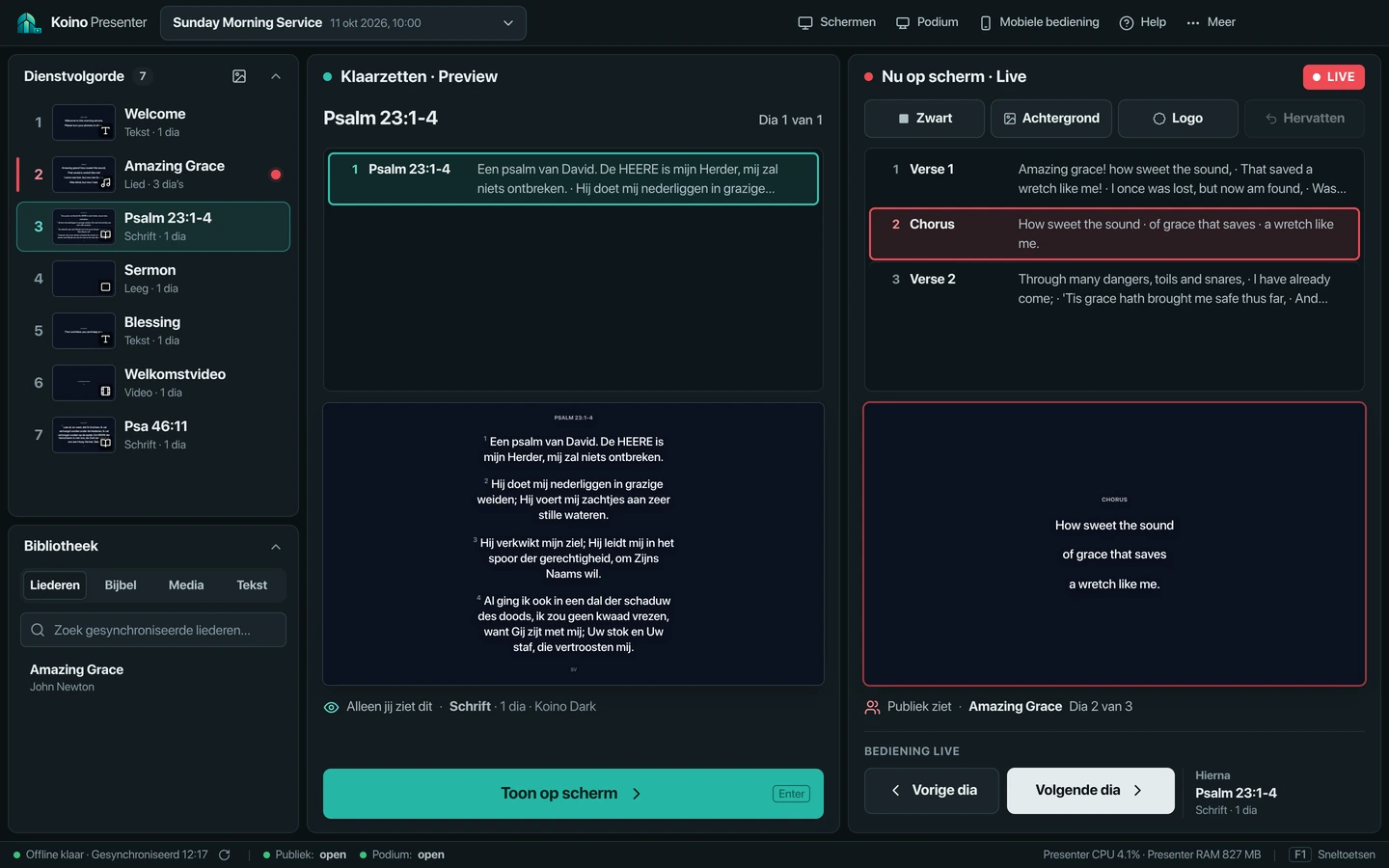
Koino Presenter puts songs, Bible passages and video on screen — from the church laptop, offline too.
Desktop app forWindows 10/11macOSLinux
Song library with history
Every lyric change becomes a new revision — history is never overwritten. Sections (verse, chorus, bridge) with a free presentation order.
Community catalog
Share rights-clean songs with other Koino churches and copy community songs into your own library. Moderated centrally.
Bible passages
Show any passage directly from imported translations — with verse numbers, automatically split into readable slides.
Themes
Background, typography, colours and overlay per theme — readable slides without design work, with a live preview while you build.
Service builder
Compose a run sheet of songs, scripture, text and spacers. Slide snapshots keep last-minute lyric edits out of a prepared service until you refresh them.
Video
Upload a video once and play it on the audience screen, the stage view and for remote viewers — with play, pause, seek and loop.
Live control
An operator console with preview, live, black, clear and logo modes — plus an optional stage view for the worship team. Keyboard-driven, no mouse hunting during worship.
Remote presentation
Share the same live presentation to other screens and browsers with a secure link or QR code — slides and video included.
Offline first
Keeps presenting when the internet drops.
The desktop presenter syncs your library and upcoming services beforehand — Sunday runs locally, connection or not.
- Pair once with a short code — the device keeps a local copy of songs, themes, Bibles and services.
- Sync before the service with one button; changes since the last sync travel incrementally.
- Audience and stage windows run locally — no browser tab that can sleep or wander.
- Revoke a paired device centrally when hardware is replaced or retired.
From library to screen
How a service comes together.
Four steps between the song library and the projection screen.
- 1
Build your library
Add songs with sections and rights, or copy community songs and public-domain hymns.
- 2
Compose the service
Order songs, Bible passages, text and spacers in the builder — with slide previews and themes.
- 3
Present live
The operator steps through slides on the audience screen while the stage view shows what is next.
- 4
Reuse next week
Runs stay saved — duplicate a service, swap items, present again.
Rights & community
Honest about rights — by design.
Every song carries a rights status; only redistributable content reaches the community catalog.
- Public domain, open licence, organisation licence or private — the status travels with the song everywhere.
- Licensed lyrics cannot be edited, so CCLI-reported songs keep their registered text.
- Community submissions are reviewed by moderators; reports flag incorrect rights or attribution.
- Koino does not grant copyright permission — your church remains responsible for its own licences.